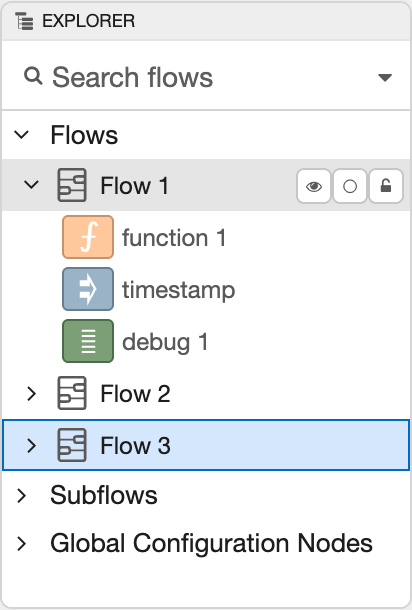
Explorer Sidebar
The Explorer sidebar shows an outline view of all flows and nodes,
The outline view can be searched using the same syntax as the main search dialog.
Hovering over an entry in the outline reveals a set of options.
Outline entry options
The button will reveal the node/flow in the main workspace.
If the node has a button, such as the Debug and Inject nodes, the button can be used to trigger that button.
The button can be used to enable or disable the node/flow.
| Reference | |
|---|---|
| Action | core:show-explorer-tab |
| Key shortcut | Ctrl/โ-g e |
Node-RED: Low-code programming for event-driven applications.
Copyright OpenJS Foundation and Node-RED contributors. All rights reserved. The OpenJS Foundation has registered trademarks and uses trademarks. For a list of trademarks of the OpenJS Foundation, please see our Trademark Policy and Trademark List. Trademarks and logos not indicated on the list of OpenJS Foundation trademarks are trademarks™ or registered® trademarks of their respective holders. Use of them does not imply any affiliation with or endorsement by them.
The OpenJS Foundation | Terms of Use | Privacy Policy | OpenJS Foundation Bylaws | Trademark Policy | Trademark List | Cookie Policy
